
0%Inventory overview
All cars. All info. For the whole team.
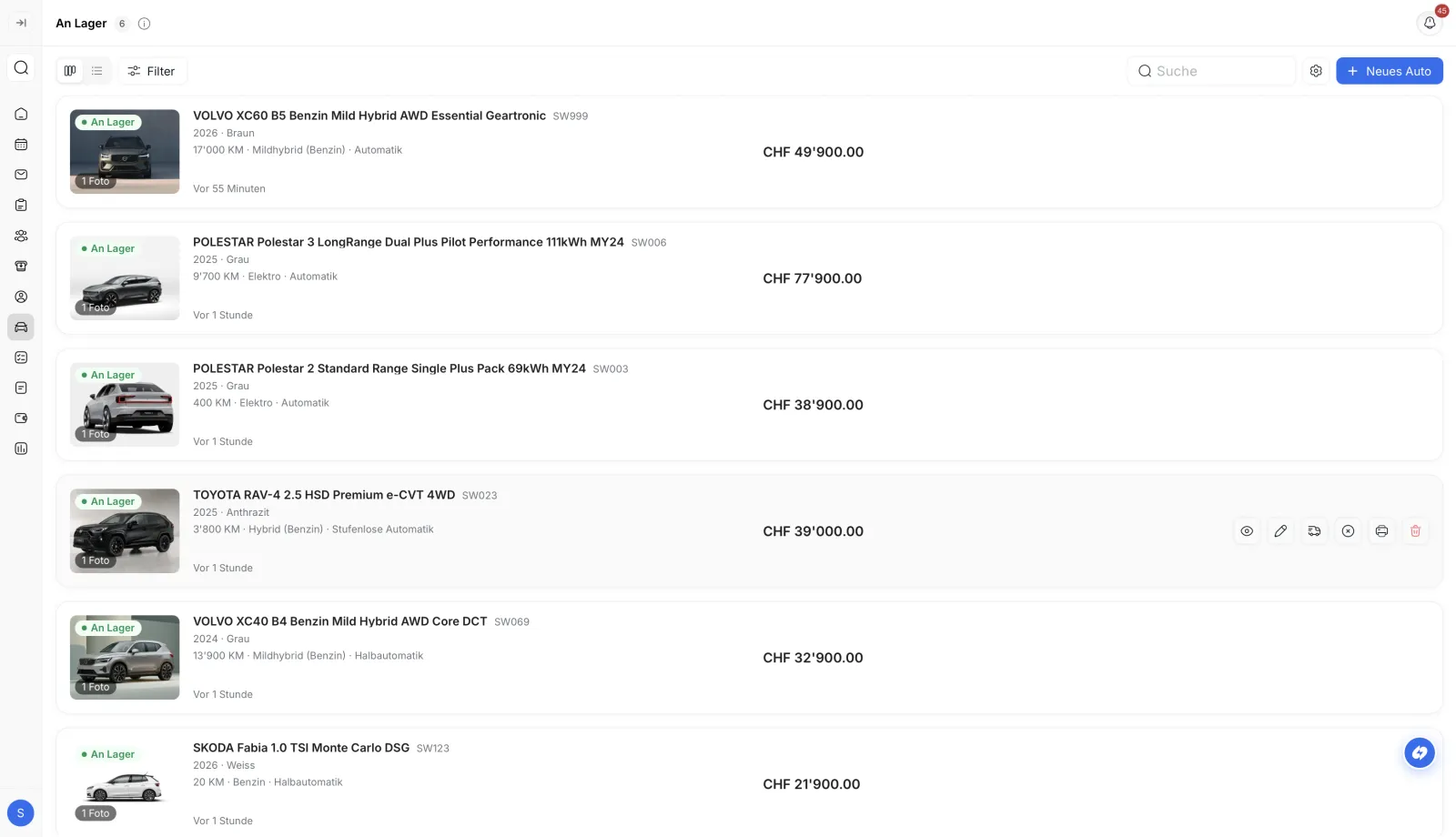
All vehicles, photos, documents, and prices in one place. Status, idle time, leads, and booked test drives at a glance. Anytime, for everyone on the team.
All your vehicles in one place: list them, upload photos, set prices, and publish to your website, AutoScout, and social media with one click. Swivex shows which cars have been sitting too long and suggests better prices.












Faster turnover, shorter dwell times and an inventory that maintains itself, synced across your website, AutoScout and accounting.
All vehicles, photos, documents, and prices in one place. Status, idle time, leads, and booked test drives at a glance. Anytime, for everyone on the team.
Swivex shows you how long each car has been sitting. The traffic light system warns about critical cases, and the AI suggests when and how to adjust the price.
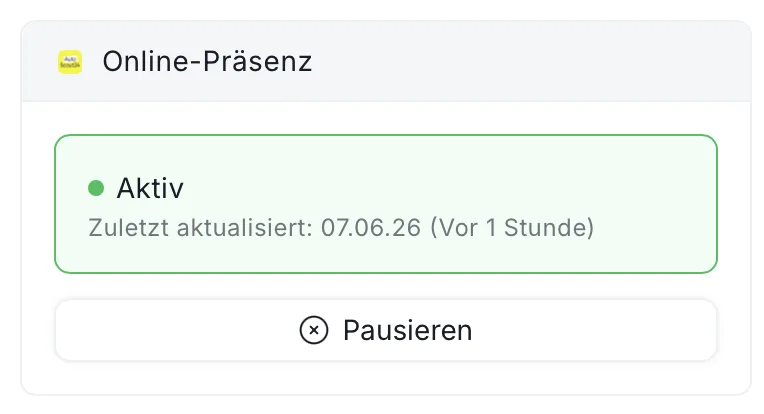
Every change in Swivex instantly updates your website, AutoScout, and social media. Listed? Published. Sold? Automatically removed from website and AutoScout. Price changed? Instantly visible.
Free demo: We'll show you vehicle management live with your own inventory. No technical knowledge required, no commitment.
Your complete vehicle inventory in one view: for sale, in preparation, and sold. Photos, documents, price, equipment, idle time, incoming inquiries, and booked test drives, all in one place, accessible for the whole team.
And because Swivex is directly connected to your website, AutoScout, and social media, every change appears instantly on all channels. No double work, no outdated listings.
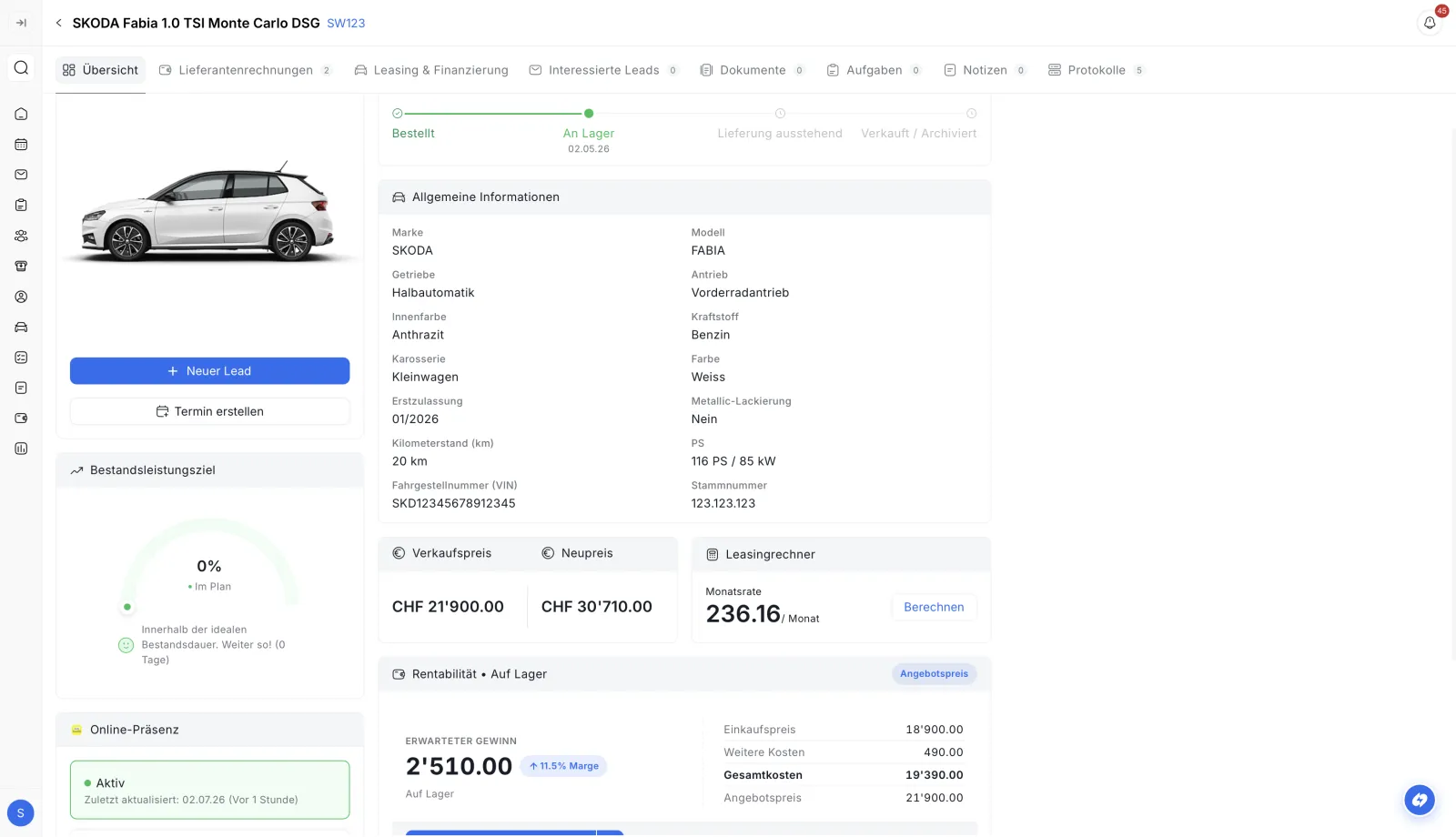
Thanks to the integrated AI price analysis, you can see how the market value of a vehicle is developing and receive suggestions on when and how to adjust the price. At the same time, you keep all costs in view: expenses, invoices, and receipts are recorded directly with the vehicle and automatically synced with your accounting system.
Vehicle management should be fast. With Swivex, you list a car once and publish it directly to your website, AutoScout, and social media. Everything else happens automatically.
Dealerships with Swivex sell their vehicles on average 18 days faster and earn noticeably more per car.
No patchwork of Excel, email, and sticky notes, but one system that connects your inventory, website, AutoScout, and accounting.
New vehicle? Listed in seconds by type approval, chassis number, or make and model. All data, photos, and documents in one place. The whole team instantly sees what's available.
One click, and your vehicle is on the website, AutoScout, and social media. You decide where it appears. Sold? Automatically removed from website and AutoScout. No double work.
How has the price of a model developed? When should you reduce? Swivex shows you market trends, warns about long idle times, and suggests price adjustments so you sell faster and better.
Record all costs, expenses, and invoices directly with the vehicle. Swivex syncs everything automatically with your accounting system. So you always know what a car really costs and how much you earn.
Your vehicle inventory in Swivex is the central source. From here, everything flows automatically to your website, AutoScout, CRM, accounting, and through Cardossier to the road traffic office.
All vehicles, photos, documents, and prices in one place, automatically connected to website, AutoScout, social media, CRM, accounting, and Cardossier for vehicle registration.
Vehicle listed? You choose which channels it appears on: website, AutoScout, social media. Sold? Automatically removed from website and AutoScout. No double entry, no outdated listing.
Every test drive booking or showroom inquiry is automatically assigned to the vehicle and the responsible salesperson. You see directly on the car which inquiries have come in.
Record costs, expenses, and invoices directly with the vehicle. Everything syncs automatically with your accounting system. You always know what a car costs and how much profit remains.
Sold? Submit the vehicle for registration directly from Swivex via Cardossier. Owner and vehicle data are already there, no re-entering in the road traffic office portal, no paperwork, no transcription errors.
Everything you need to know about vehicle management for dealerships with Swivex.

One of our experts will get back to you within 24 hours, free and non-binding.
Thank you. We will get back to you within 24 hours.